


 Remove unwanted objects for free




AI Magic Eraser
Remove Unwanted Objects from Photos Online
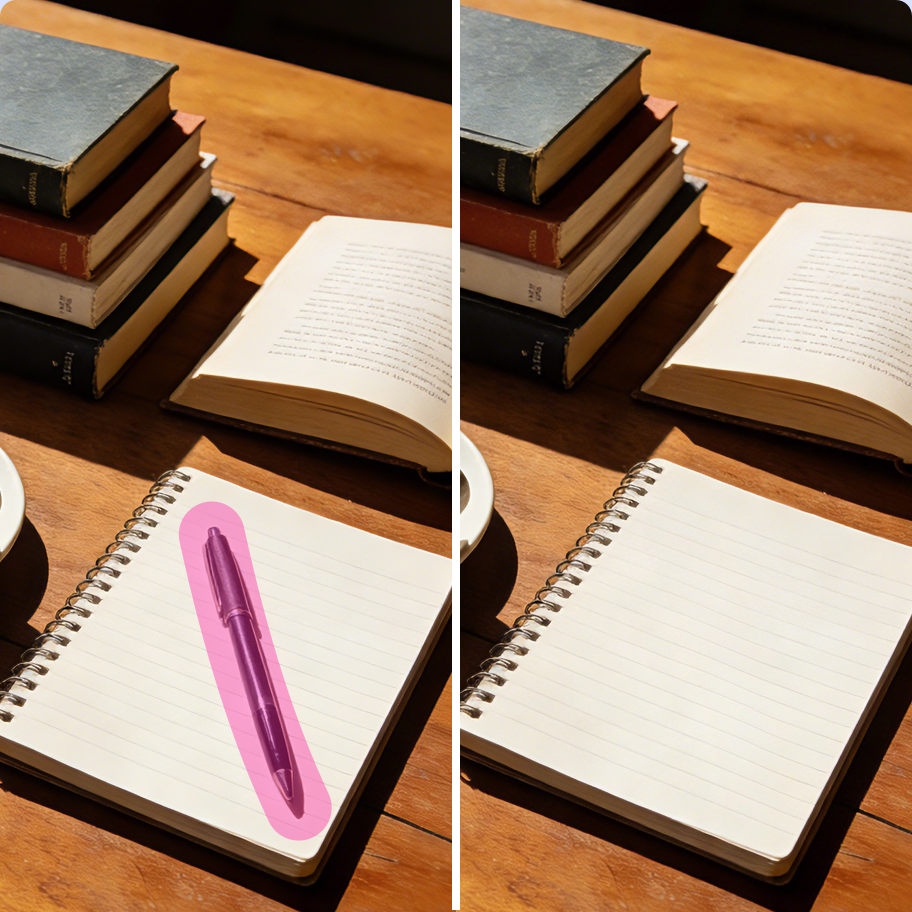
Remove Anything in Seconds
The AI fills in missing areas naturally, matching textures and lighting for realistic results. Use AI Magic Eraser to remove:
 Before
 After
AfterRemove Unwanted Objects Easily with Magic Eraser Online

Fast and Easy WorkflowAI object removal made simple and efficient.

Step 1
Upload your image
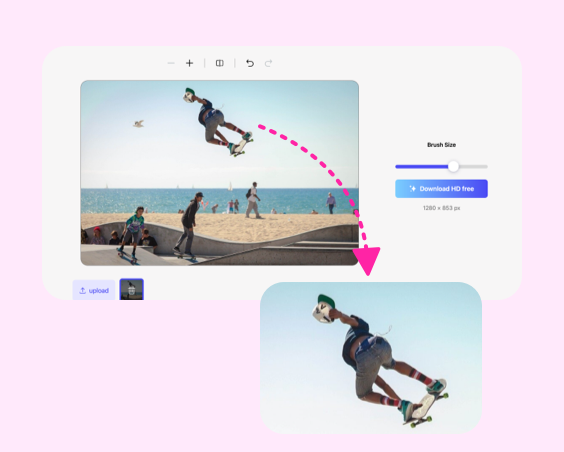
Step 2
Brush over unwanted areas
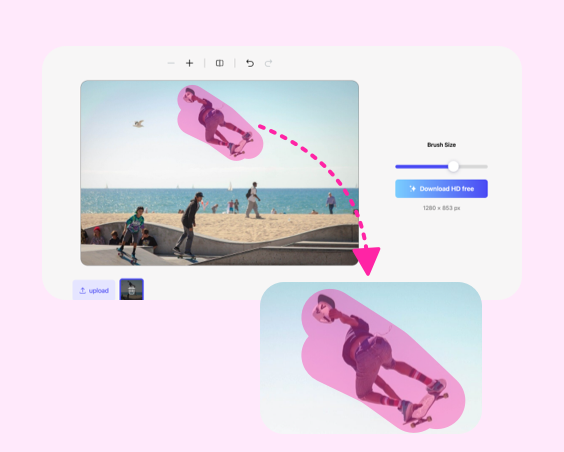
Step 3
Let AI remove objects automatically

Step 4
Download the cleaned image
Frequently Asked
Questions: Questions:
How does the AI Magic Eraser remove objects from an image?


The Photiu.ai AI Magic Eraser uses advanced AI detection and inpainting technology to identify the selected object and intelligently reconstruct the surrounding background. When you brush over an unwanted element, the AI analyzes nearby textures, colors, lighting, and patterns, then fills the removed area so it blends naturally with the rest of the image. The result looks clean and seamless, as if the object was never there.
Can I remove text or unwanted Elements?
Yes. You can remove text or other unwanted elements using the same brush tool. The AI automatically rebuilds the background after removal, making it ideal for cleaning up product photos, social media images, or personal pictures while maintaining a natural look.
Will removing objects reduce the photo quality?
No. Photiu.ai preserves the original image resolution and maintains overall clarity during editing. The AI focuses only on the selected area, ensuring the rest of your image remains unchanged. After processing, your photo retains high resolution and consistent visual quality.
Can I use edited images for commercial purposes?
Yes. Images edited with the Photiu.ai AI Magic Eraser can be used for commercial purposes such as e-commerce listings, marketing materials, advertisements, and client projects — as long as you have the legal rights to the original image. The editing process does not alter ownership or copyright of the source file.
AI Magic Eraser - Remove Unwanted Objects from Photos Online
Remove Unwanted Objects from Photos Online
Remove Anything in Seconds
The AI fills in missing areas naturally, matching textures and lighting for realistic results. Use AI Magic Eraser to remove:
BeforeAfterRemove Unwanted Objects Easily with Magic Eraser Online
Fast and Easy WorkflowAI object removal made simple and efficient.
Step 1
Upload your image
Step 2
Brush over unwanted areas
Step 3
Let AI remove objects automatically
Step 4
Download the cleaned image
Frequently Asked
Questions: Questions:
How does the AI Magic Eraser remove objects from an image?
The Photiu.ai AI Magic Eraser uses advanced AI detection and inpainting technology to identify the selected object and intelligently reconstruct the surrounding background. When you brush over an unwanted element, the AI analyzes nearby textures, colors, lighting, and patterns, then fills the removed area so it blends naturally with the rest of the image. The result looks clean and seamless, as if the object was never there.
Can I remove text or unwanted Elements?
Yes. You can remove text or other unwanted elements using the same brush tool. The AI automatically rebuilds the background after removal, making it ideal for cleaning up product photos, social media images, or personal pictures while maintaining a natural look.
Will removing objects reduce the photo quality?
No. Photiu.ai preserves the original image resolution and maintains overall clarity during editing. The AI focuses only on the selected area, ensuring the rest of your image remains unchanged. After processing, your photo retains high resolution and consistent visual quality.
Can I use edited images for commercial purposes?
Yes. Images edited with the Photiu.ai AI Magic Eraser can be used for commercial purposes such as e-commerce listings, marketing materials, advertisements, and client projects — as long as you have the legal rights to the original image. The editing process does not alter ownership or copyright of the source file.